
Narrow a large library
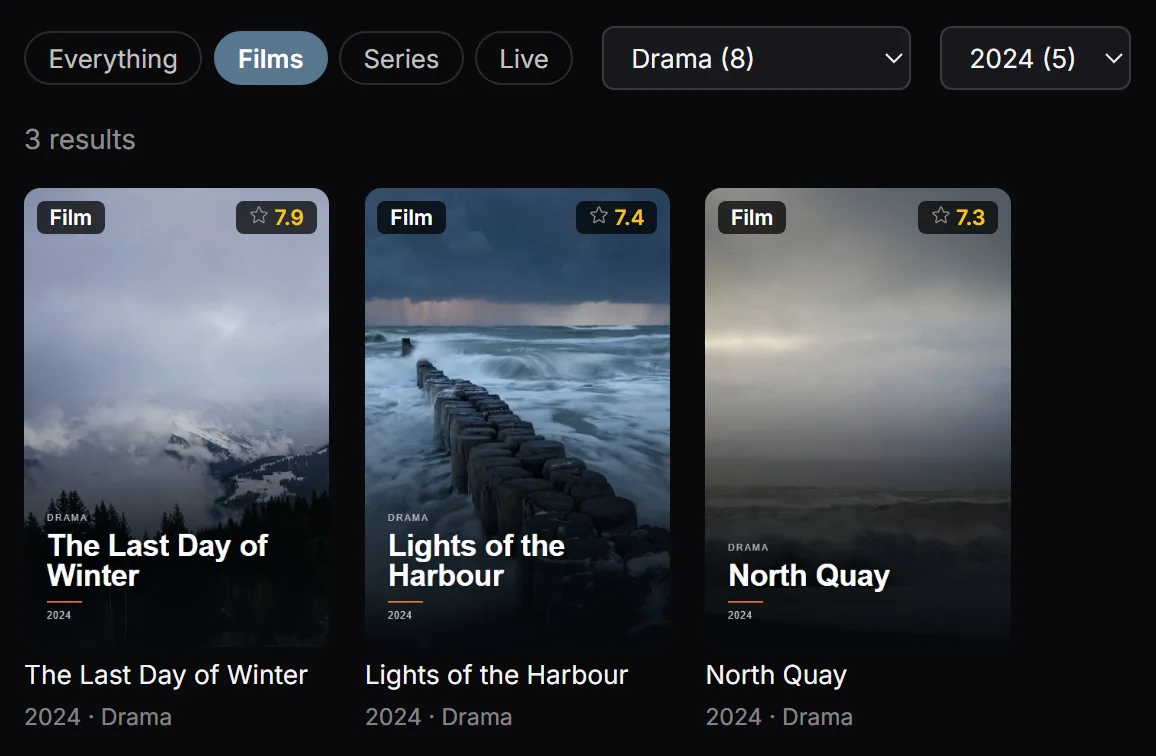
Search helps you find a channel, film or series by name in the catalogue imported from your source. Film filters let you narrow the list by genre, year and minimum rating. Sorting the movie library by rating, name or date added gives you another way to browse when you do not have one exact title in mind.
Start broad, then add filters
Type a name in Search and choose the content type you need. Apply the available genre, year or rating filters to narrow film results, then choose the movie sort order. Search can also include cast, director and plot for films and series.
If nothing appears, remove restrictive filters and shorten the search text. Check the selected source. If expected results remain hidden, check Hidden channels and categories in Settings before assuming that the catalogue is empty.
Results depend on catalogue information
A filter can only use the metadata available for a title. Missing years, genres or ratings can affect the results; live channels have no rating filter. Updating the library can refresh changed catalogue information, but it does not add titles your provider does not supply. Playova searches your own library and provides no content subscription.