
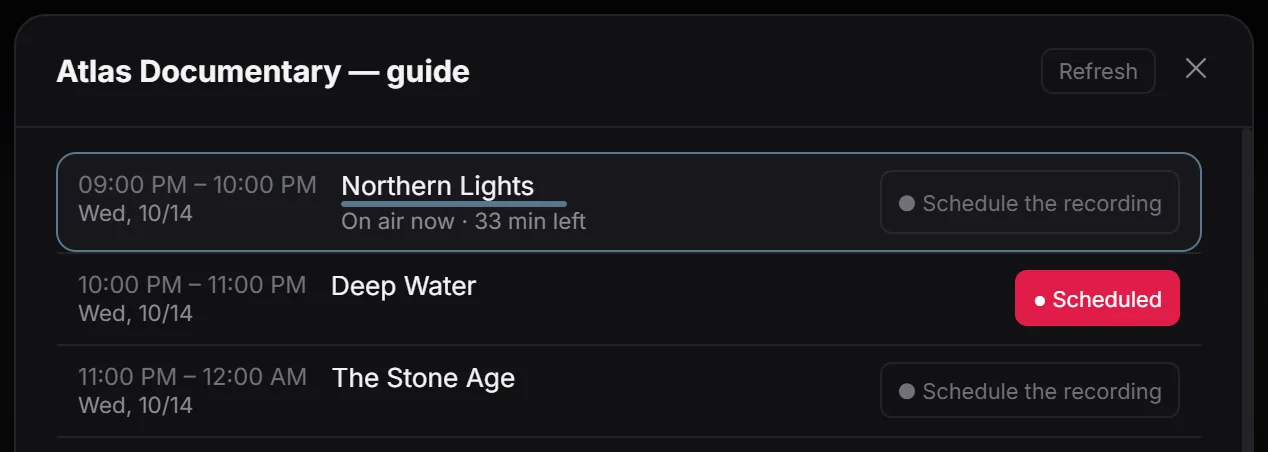
See what is on and what comes next
The programme guide brings channel schedules and programme details together on Windows. It helps you compare broadcast times before choosing what to watch, and provides programme information when your source supplies it. A working channel list and a populated guide are separate things.
Check the guide download
Open a channel’s Programme guide to inspect its programmes and times. If information is missing, use Refresh there. For the overall guide, open Settings, then Programme guide, check the last download status and select Download now. Keep the guide up to date controls automatic updates.
If only one channel is empty, compare another channel before changing your source. For incorrect times or missing programmes, check the provider’s schedule and guide coverage.
What your source needs to provide
Guide availability depends on your provider. Some M3U links have no discoverable XMLTV guide, and a channel list alone does not guarantee EPG. The guide settings do not offer a separate XMLTV URL field. Ask your provider about guide support and channel identifiers. Available channels can still play without guide data; recordings can also be scheduled manually by time.