
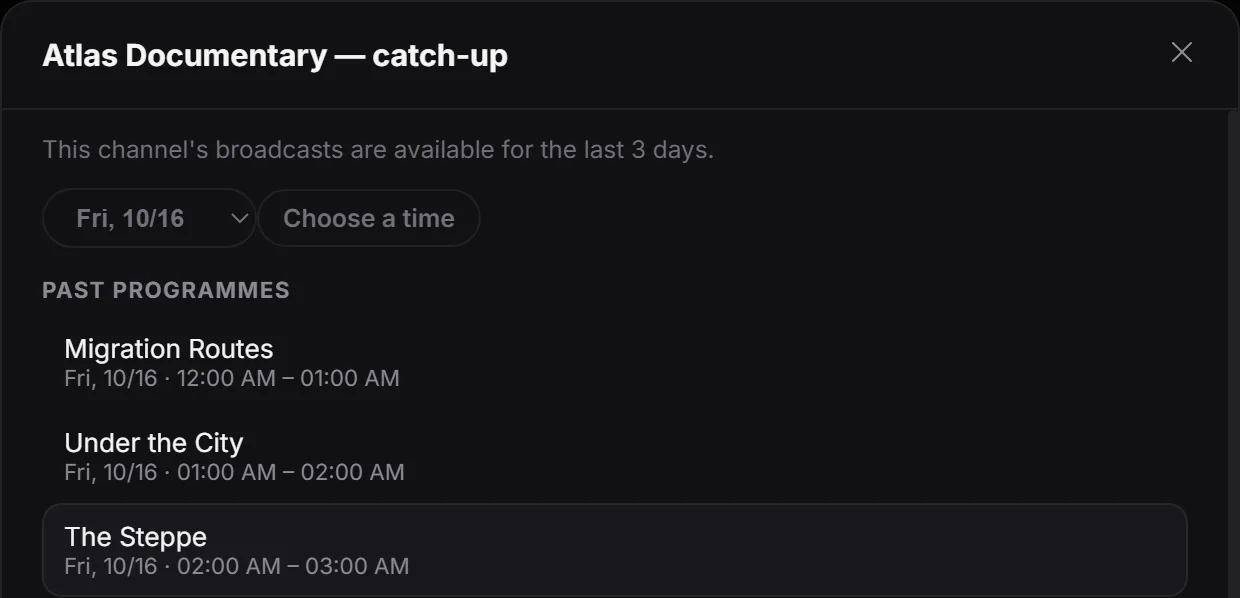
Open programmes kept by your provider
Catch-up TV lets you revisit past programmes on channels that offer a provider archive. The video comes from that archive rather than a recording you made on your Windows PC. This can help you find a programme you missed even when you were not watching its live broadcast at the time.
Choose an available past programme
Select a channel from your own source that offers archive support and open its past programmes. Browse the available entries and choose the programme you want to play. Check the channel and programme time before starting so you are requesting the intended broadcast.
If a programme is missing, compare the available history for that channel and check whether your provider includes it. Guide information and archive availability are related inputs, but a programme listed in the guide does not by itself guarantee an archived stream.
History varies by source and channel
Your provider must support archives; availability and the retained history vary by channel. Catch-up still needs a working connection and accessible provider stream. Live rewind only covers the temporary buffer kept on your computer, while local recording saves a broadcast you capture yourself. Playova supplies no channel archives or subscriptions; it opens what your own source makes available.